Download Participant Account
For user with Adminstrator role only.
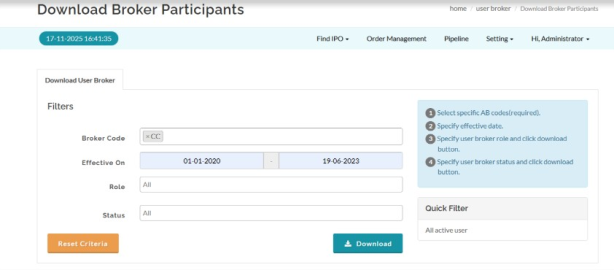
Displays and downloads System Participant account data.
- Go to Settings > Security Broker.
- Select Security Broker > Click export > Data User Broker
- Apply optional filters such as participant code, account status, or role.
- Click Download.
Created with the Personal Edition of HelpNDoc: Easily create EBooks