Email Domain Change
Allows users to change email domain by verifying the new email address instead of the old address.
- Click or hover your mouse cursor on your user name.
- Click Profile.
- Click Change Email.
- Change only the email domain when applicable.
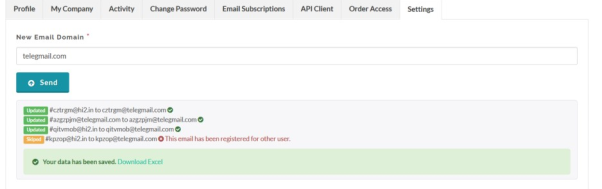
- Confirm that the change is a domain change.
- Open the verification email sent to the new address.
- Complete verification.
Created with the Personal Edition of HelpNDoc: Save time and frustration with HelpNDoc's WinHelp HLP to CHM conversion feature