Set Announcement Category
Administrators can post announcements on the Announcement page. All published announcements are accessible to all visitors of the e-IPO website. These announcement articles can be categorized for easy organization and search. To add and publish an announcement follow the steps detailed below:
Add Announcement Category
To add Category, from the Page Menu:
- Go to Setting > Parameter > Announcement Categories > Add/Edit
 .
.

- Add or Edit the category and click Save
 .
.

Add Announcement
To add Announcement, from the Page Menu:
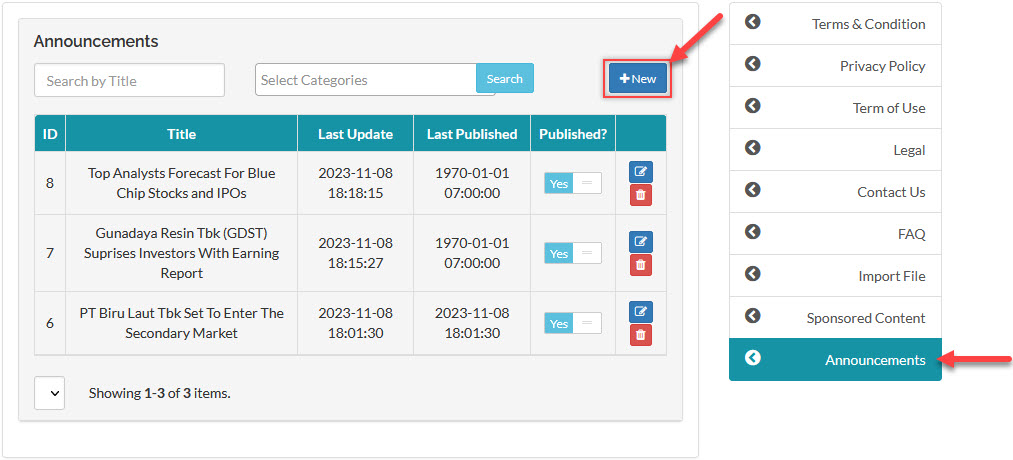
- Go to Setting > Pages > Announcements > +New.
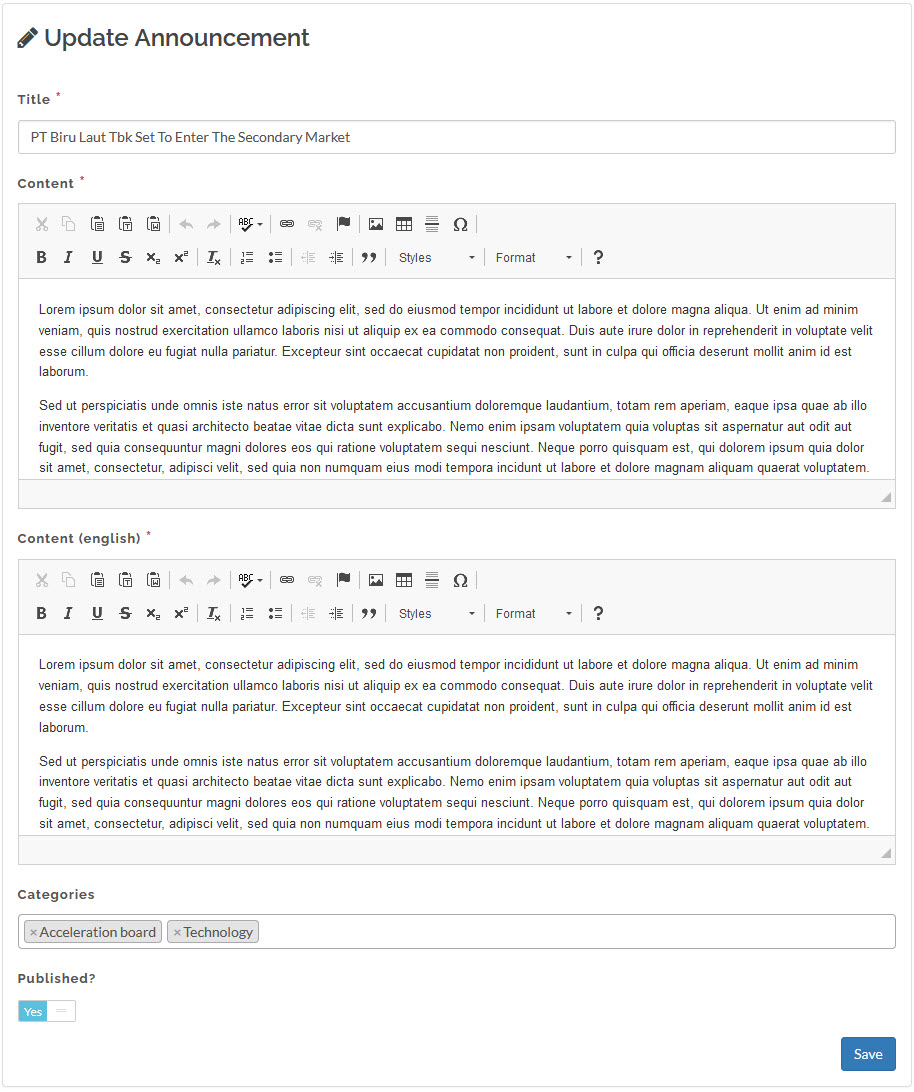
- Write the content in the text editor, pick the categories for the announcement, and select Yes on the Published toggle button to immediately publish the announcement after you save.
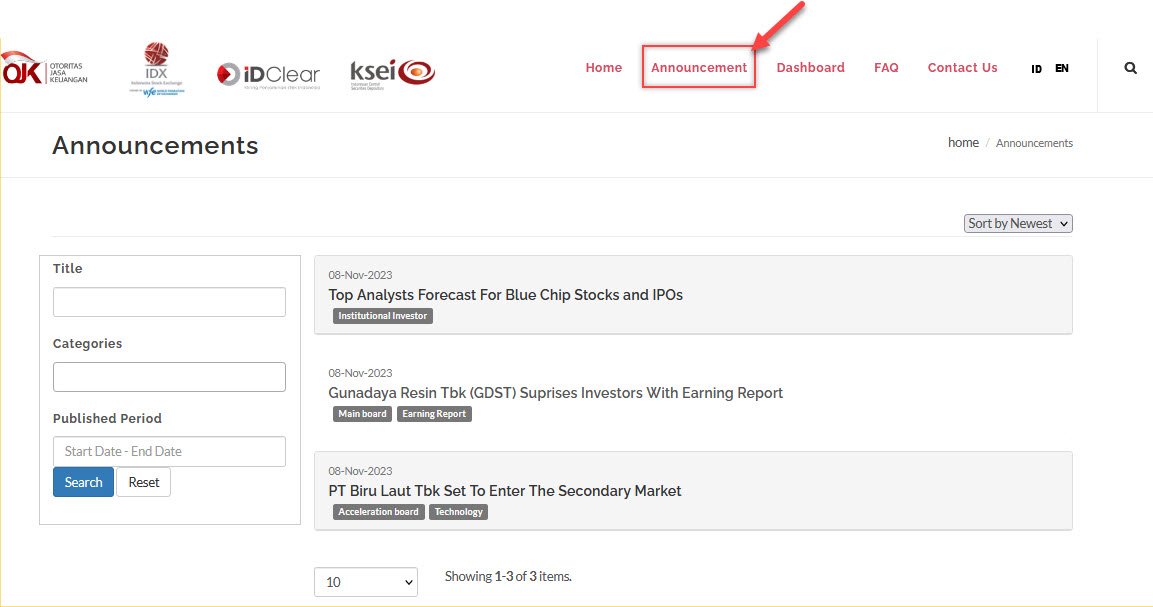
To confirm that you have successfully published the announcement, visit the announcement page and review the saved announcement article.
Created with the Personal Edition of HelpNDoc: Converting Word Docs to eBooks Made Easy with HelpNDoc