Delete Pipeline
To delete a pipeline, from the Page Menu:
- Go to Pipeline.
- Select Pipeline > View
 .
. - Click Action > Delete.
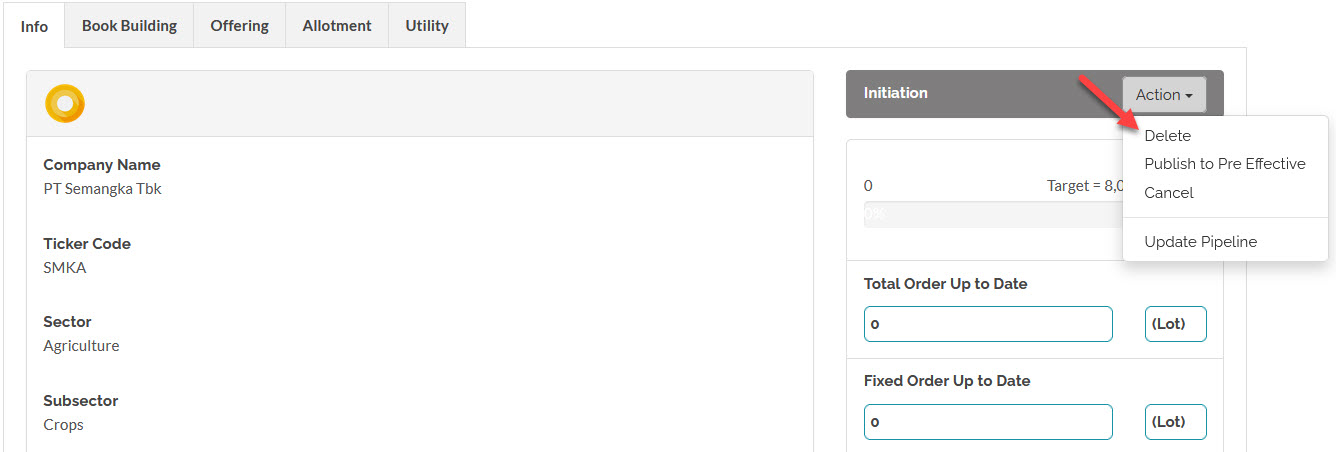
 You can only delete a pipeline in the Initiation period. Once a pipeline enters the Pre-Effective stage you will not be able to delete it, if you wish to discontinue the pipeline after this stage, cancel it instead.
Created with the Personal Edition of HelpNDoc: Upgrade your help files and your workflow with HelpNDoc's WinHelp HLP to CHM conversion