Manage Pipeline
The contents of Manage Pipeline
- View Pipeline Index
- Create Pipeline
- Update Pipeline
- Publish Pipeline
- Postpone Pipeline
- Cancel Pipeline
- Delete Pipeline
- Book Building
- Offering
- Allotment
- Reports
The Pipeline section enables you to create and manage IPO pipelines. Only participants with underwriter license are able to create pipelines in e-IPO, participants without underwriter license are not permitted to create pipelines but are still able to submit and manage orders.
The Pipeline process flow can be briefly summarized in the following diagram:
Pipeline with Book Building:

Pipeline without Book Building:
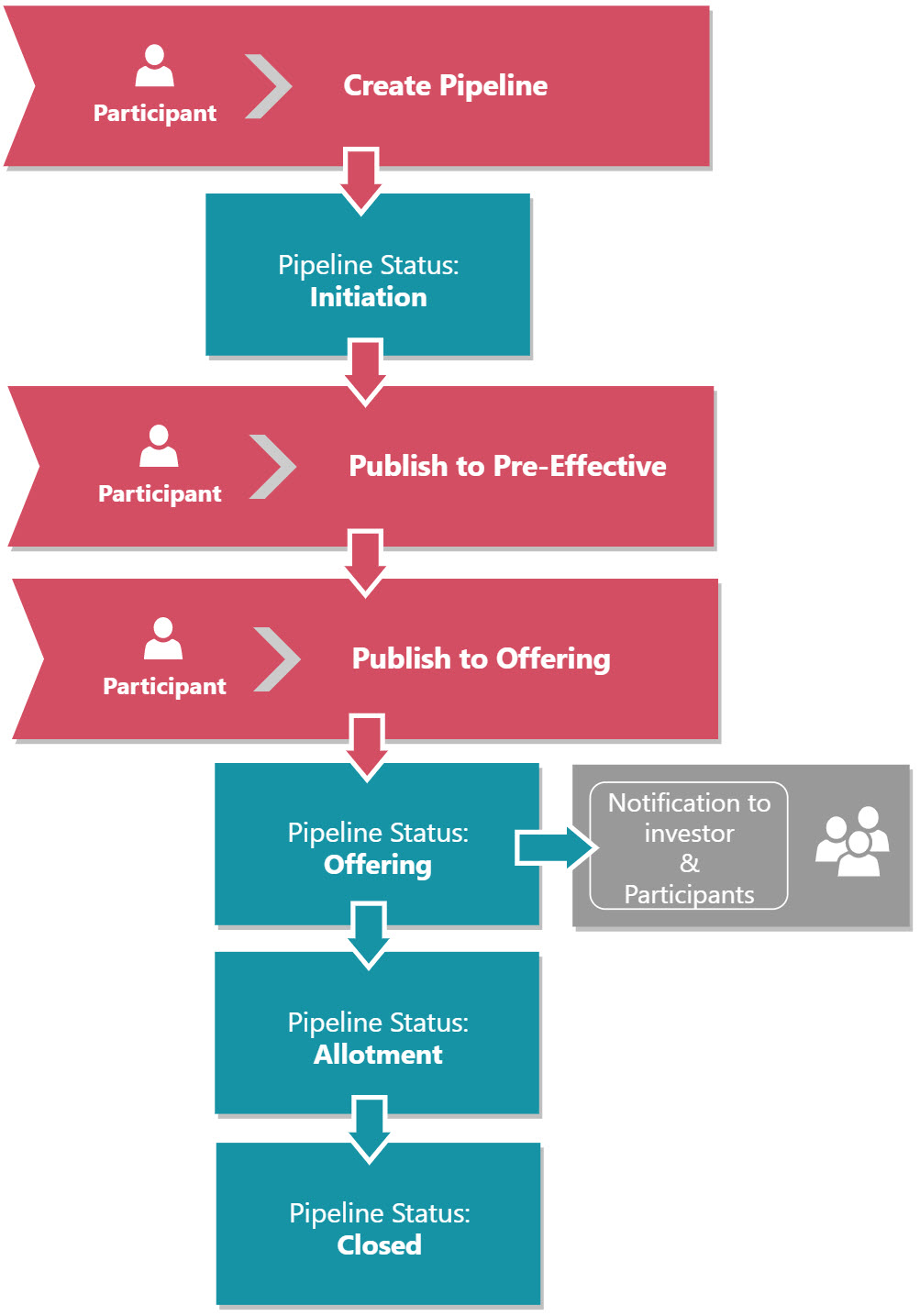
Pipeline Statuses:
|
Pipeline Status |
Description |
Action by |
|
Initiation |
Pipeline created, not published for public view. |
Maker/Approver |
|
Pre-Effective |
Pipeline published for public view prior to Book Building or Offering period. |
Approver |
|
Book Building |
Pipeline published to Book Building period. For a pipeline to be published to the Book Building period Approver must confirmed "Publish to Book Building", and the pipeline will be published on the start date of the Book Building period at 00:01 Jakarta time (GMT +7). |
Approver |
|
Offering |
Pipeline published to Offering period. For a pipeline to be published to the Offering period Approver must confirmed "Publish to Offering", and the pipeline will be published on the start date of the Offering period at 00:01 Jakarta time (GMT +7). |
Approver |
|
Allotment |
Pipeline under allotment process. |
System |
|
Closed |
Pipeline is closed and not taking any order. |
System |
|
Canceled |
Pipeline is canceled and all orders are dropped. |
Approver |
Created with the Personal Edition of HelpNDoc: Make Documentation Review a Breeze with HelpNDoc's Advanced Project Analyzer