Confirm Bulk Prospectus
Prerequisites
- Prospectus data is available.
- There are carried-over orders from the book building period that have not yet confirmed that the prospectus has been read.
Usage Steps
- Log in as a System Participant.
- Open the Order Management menu.

- Select the pipeline.
- Download the order information template that needs to be confirmed.
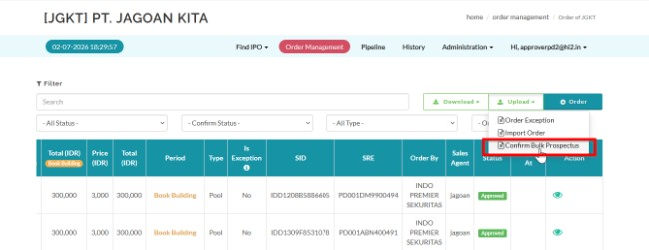
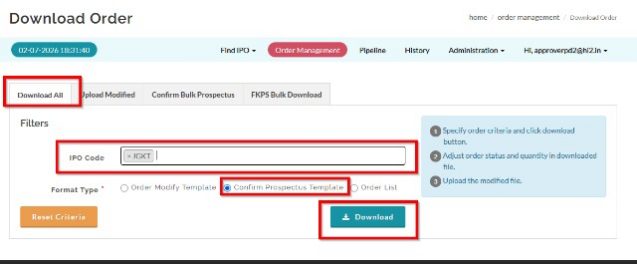
- Fill in the template with the approved order/read prospectus confirmation information.
- Upload the template.
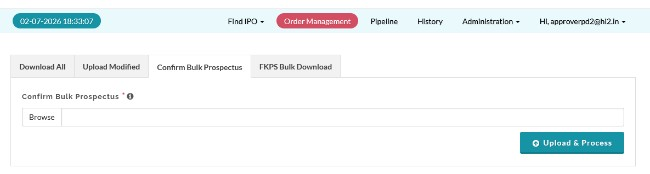
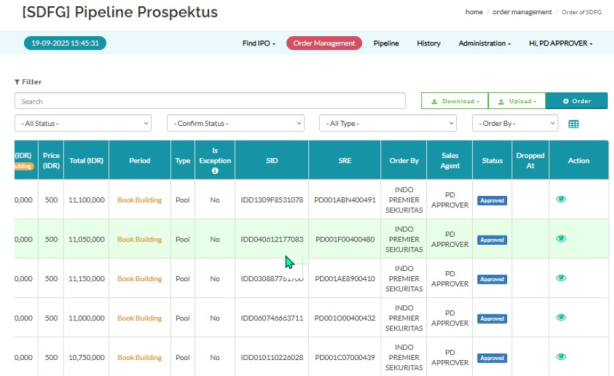
- Check the upload result and confirmation status.
Expected Result
- The prospectus read status on the orders is confirmed in bulk.
Created with the Personal Edition of HelpNDoc: Effortlessly Convert Your Markdown Content with HelpNDoc