Publish Pipeline
After you create a pipeline (Initiation stage), the pipeline is not published yet for public view. To publish a pipeline, from the Page Menu:
- Go to Pipeline.
- Select Pipeline > View
 .
. - Click Action > Publish to Pre-Effective/Book Building/Offering.
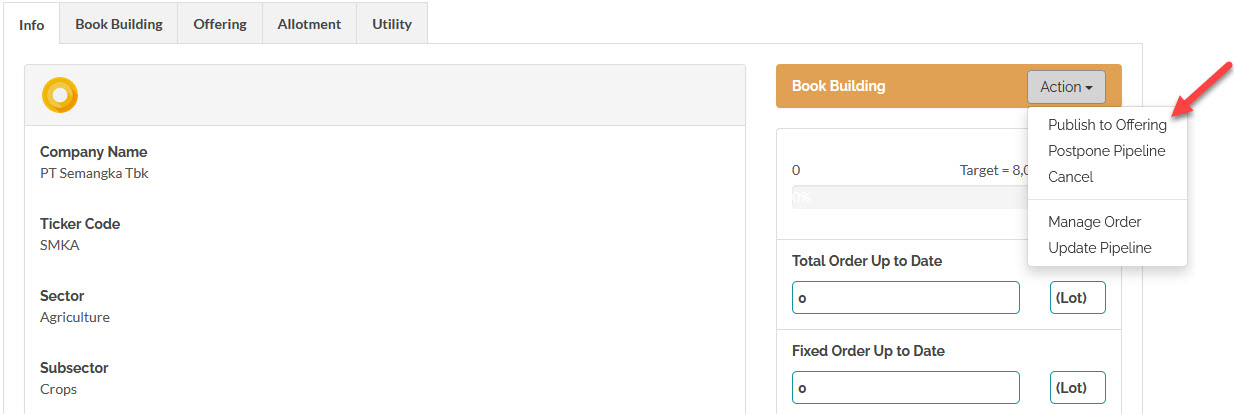
 During the Book Building period, to publish a pipeline from Book Building to Offering you need to confirm first by clicking the 'Publish to Offering' action menu above.
During the Initiation period, to publish from Initiation to Book Building you need to confirm by clicking the 'Publish to Book Building' action menu.
To learn about Pipeline process flow, click here.
Created with the Personal Edition of HelpNDoc: HelpNDoc's Project Analyzer: Incredible documentation assistant