Postpone Pipeline
Postpone Pipeline
You can Postpone a pipeline in the Book Building or Waiting for Offering stage. All existing orders in a pipeline with a Postpone status will be "frozen", they can not be amended or canceled. You or any users are not able to create any orders also.
To postpone a pipeline, from the Page Menu:
- Go to Pipeline.
- Select Pipeline > View
 .
. - Click Action > Postpone Pipeline.
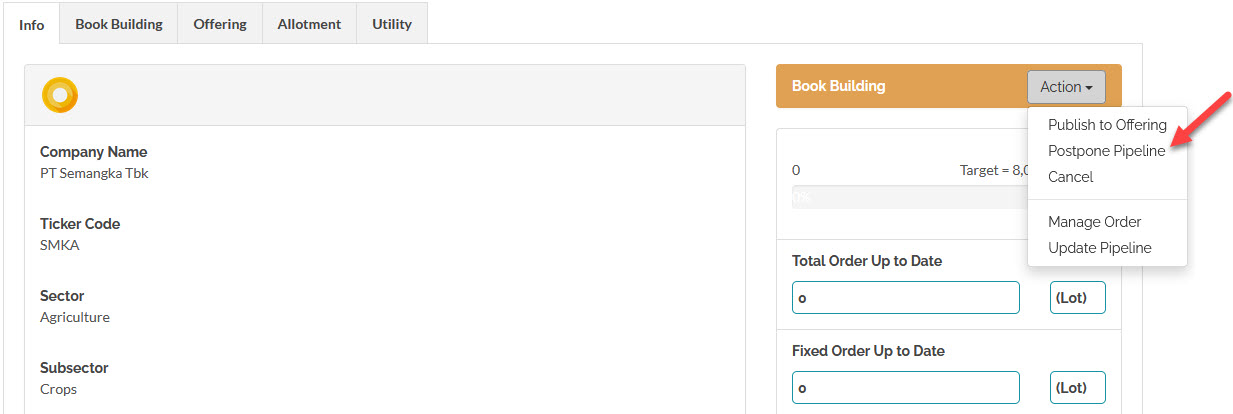
 You can only postpone a pipeline in the Book Building or Waiting for Offering stage. Once a pipeline enters the Offering stage you will not be able to Postpone it, if you wish to discontinue the pipeline after this stage, cancel it instead.
Extend Pipeline
You can continue a postponed pipeline by extending it, to extend a pipeline, from the Page Menu:
- Go to Pipeline.
- Select Pipeline > View .
- Click Action > Postpone Pipeline.
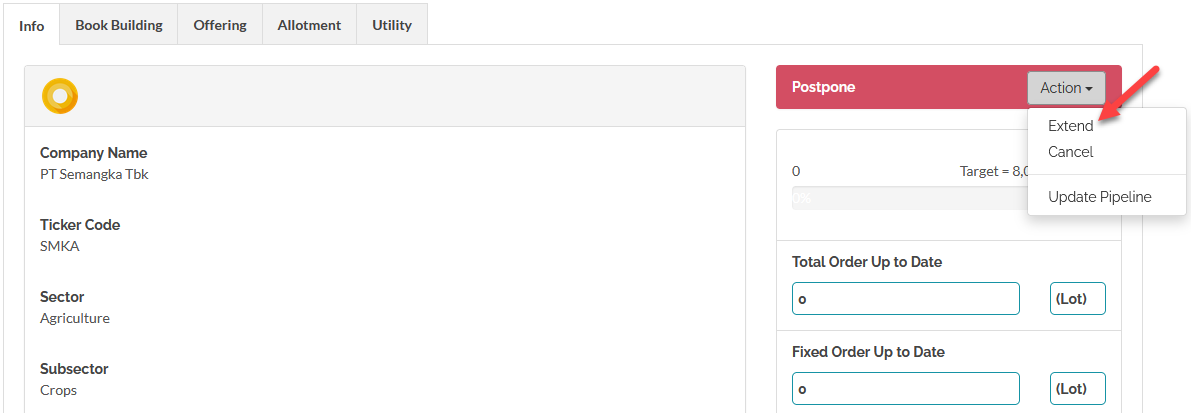
Created with the Personal Edition of HelpNDoc: Streamline your documentation process with HelpNDoc's WinHelp HLP to CHM conversion feature