Amend Order
To amend an order, from the Page Menu:
- Go to Order Management.
- Select IPO > View
 .
. - Select Order > View
 .
.
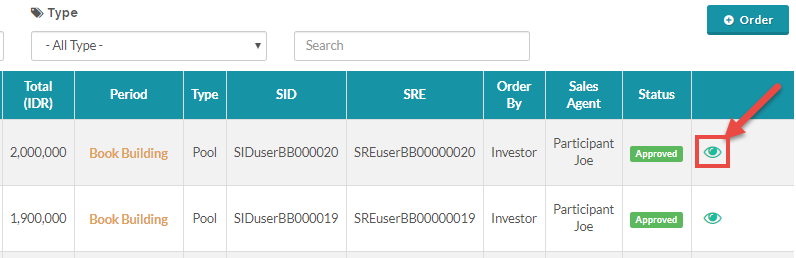
 You can only amend an Approved order. If you want to change a submitted order you need to reject the order and create a new order, see how to reject order here.
- Click Action > Edit Order
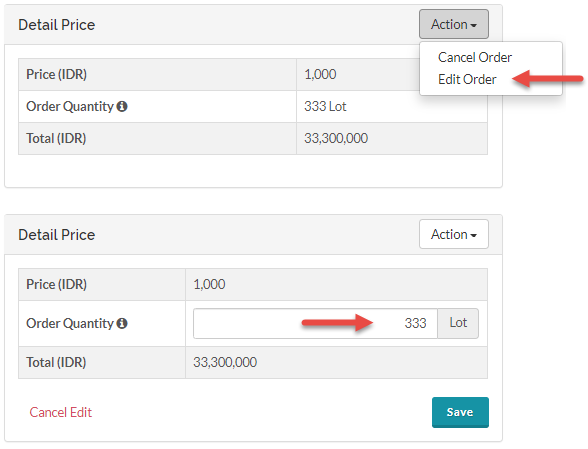
- Input the Order Quantity and click Save.
When you amend an order, the newly amended order will given a new Order Reference Number and the original order will be Dropped (you can see this under the status column), the original order will still be visible for record keeping.
Created with the Personal Edition of HelpNDoc: Effortlessly Publish Your Word Document as an eBook