Cancel Order
To amend an order, from the Page Menu:
- Go to Order Management.
- Select IPO > View
 .
. - Select Order > View
 .
.
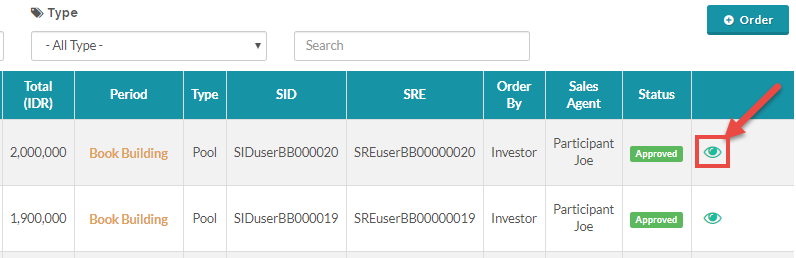
 You can only cancel an Approved order.
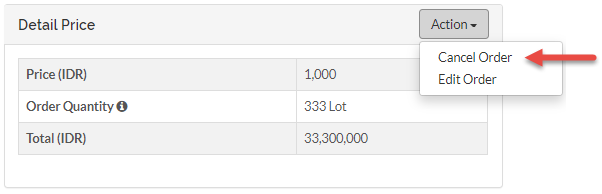
- Click Action > Cancel Order
Created with the Personal Edition of HelpNDoc: Full-featured EBook editor