COLW, COLDS, and Distribution Reports
Besides OJK reports, other reports that are also available as downloadable files are:
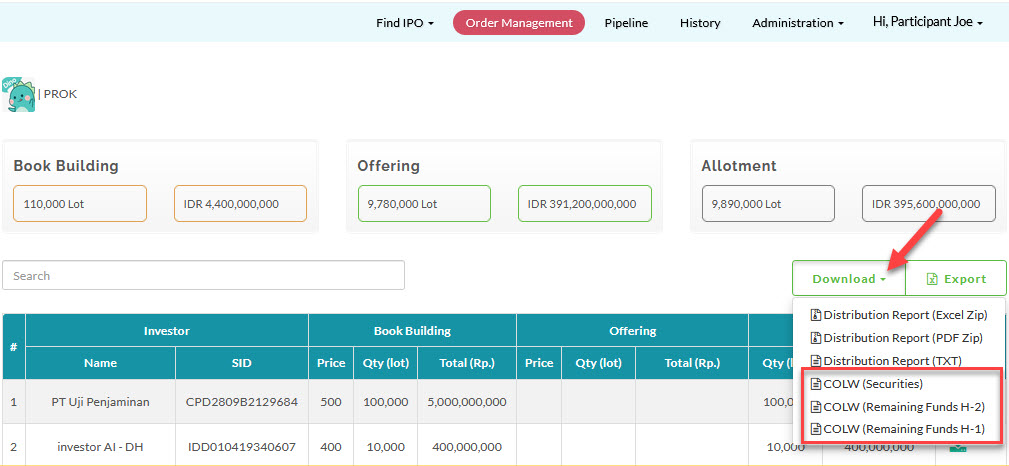
- COLW (Securities)
- COLW (Remaining Funds H-2)
- COLW (Remaining Funds H-1)
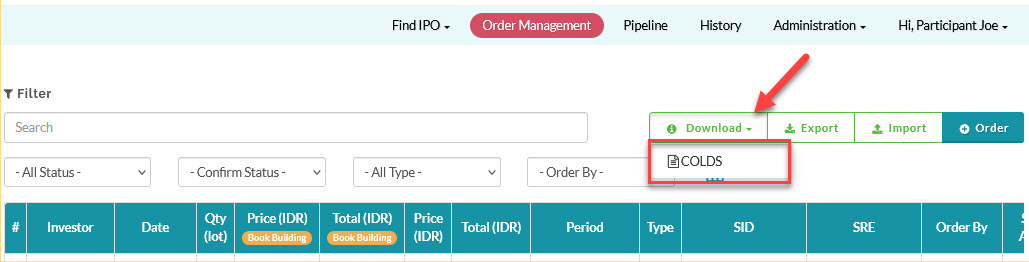
- COLDS
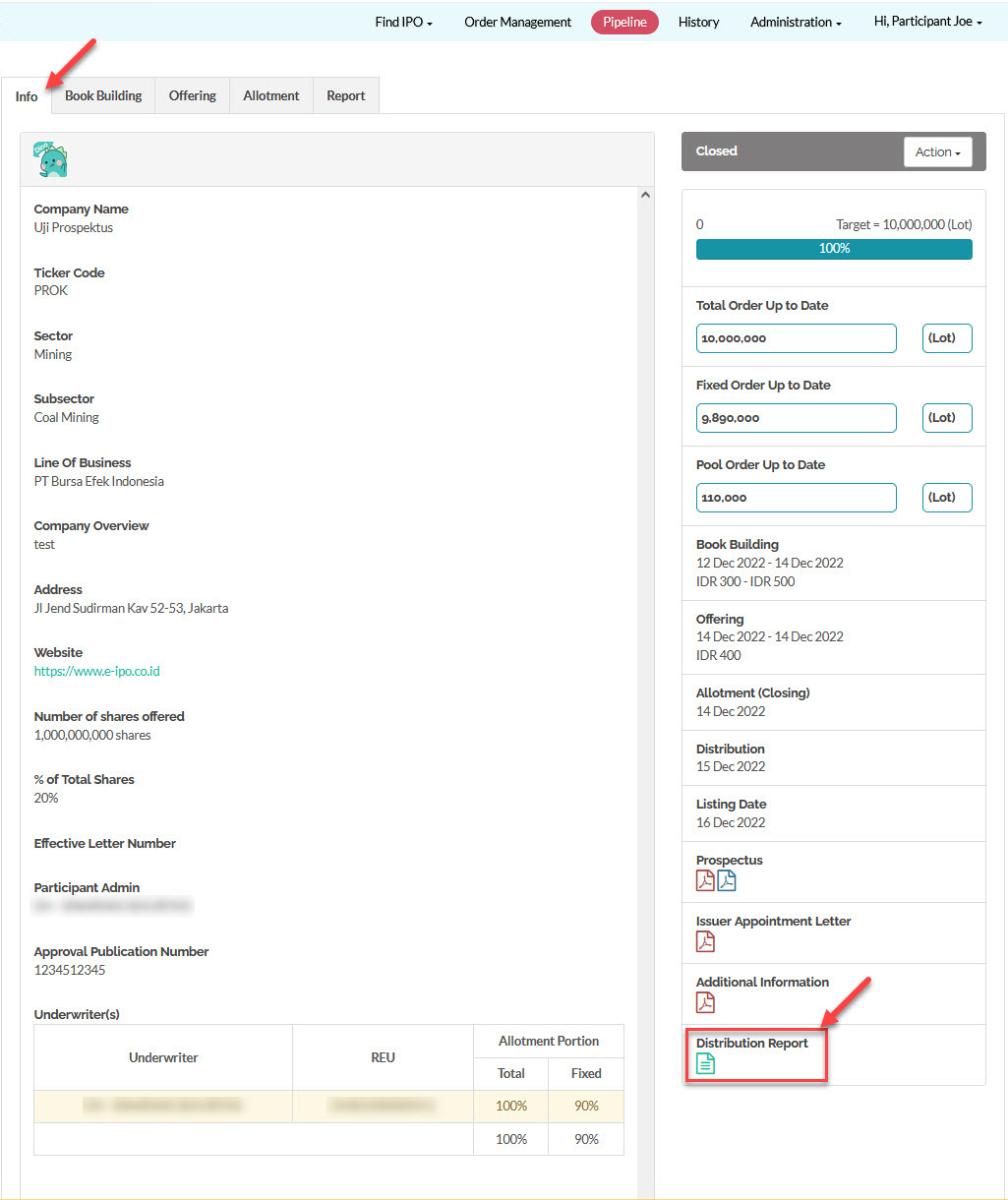
- Distribution Report (for orders per participant)
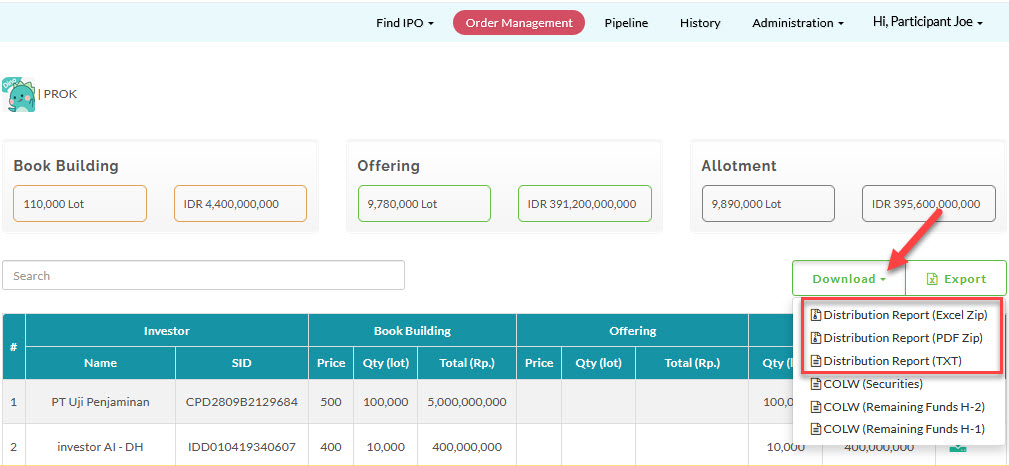
- Distribution Report All (for the Lead Underwriter Admin)
See below on where to find these reports in E-IPO.
COLWs
- Go to Pipeline.
- Select Pipeline > View
 .
.
The Report is in the Allotment tab, under the Final Offering Result section.

You can also find the same reports here:
- Go to Order Management.
- Select IPO > Allocated Order
 .
.
COLDS
- Go to Order Management.
- Select IPO > View
 .
.
Distribution Report
- Distribution Report (for orders per participant)
- Go to Pipeline.
- Select Pipeline > View .
The Report is in the Info tab.
- Distribution Report All (for Lead Underwriter Admin)
- Go to Order Management.
- Select IPO > Allocated Order .
Created with the Personal Edition of HelpNDoc: Easily create Qt Help files