View Demand Curve
To view the Demand Curve, from the Page Menu:
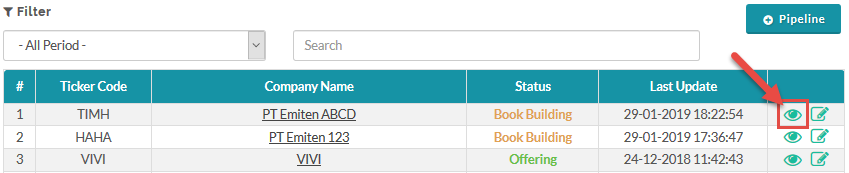
- Go to Pipeline.
- Select Pipeline > View
 .
.
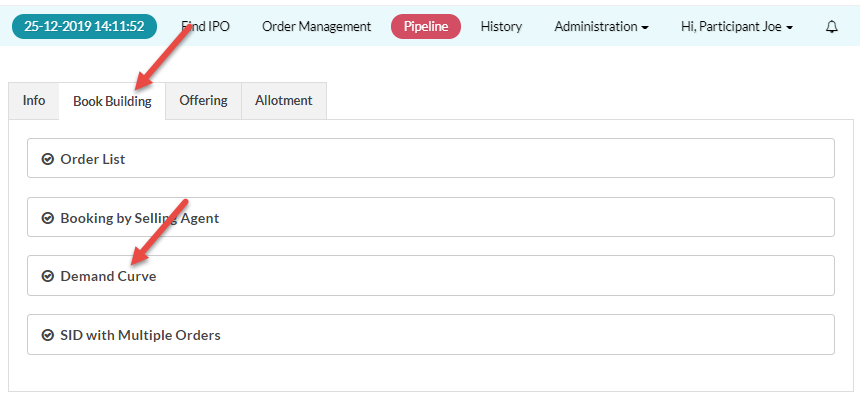
- Click the Book Building tab.
- In the Book Building tab, open the Demand Curve panel.
 The Demand Curve Chart and Order Chart are particularly useful for determining the Final Price for the IPO, as you can see the cumulative orders for the Book Building prices, example below.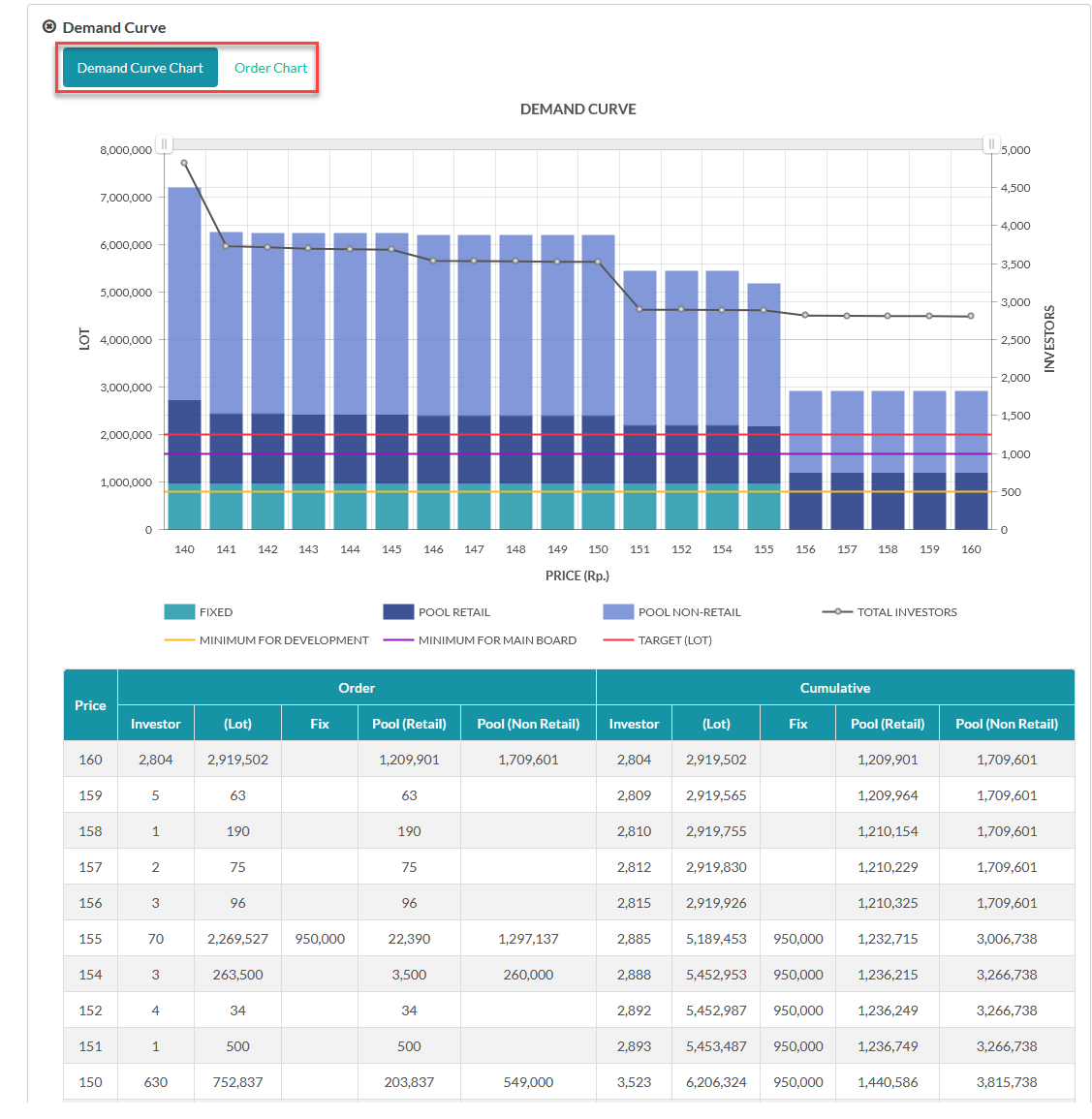
Created with the Personal Edition of HelpNDoc: Experience the Power and Ease of Use of HelpNDoc for CHM Help File Generation