View Final Offering Result
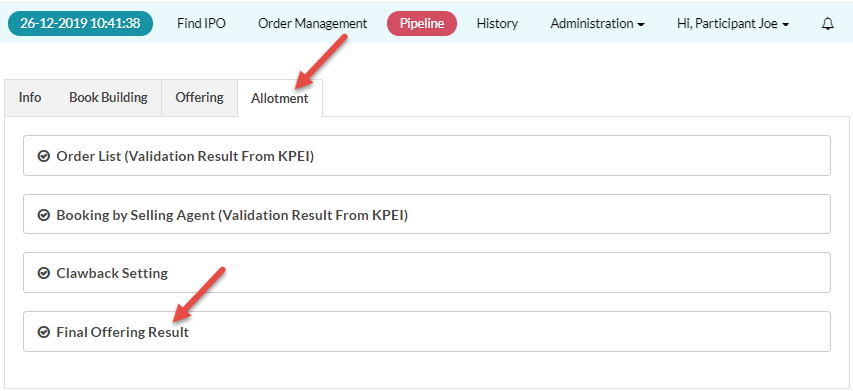
To Set Clawback, from the Page Menu:
- Go to Pipeline.
- Select Pipeline > View
 .
. - Click the Allotment tab.
- In the Allotment tab, Click Final Offering Result.
Example of the Final Offering Result data:
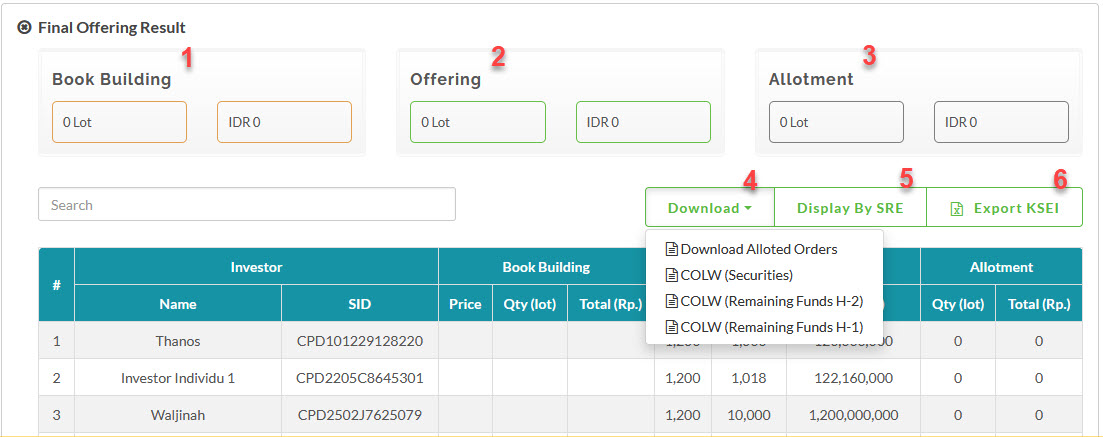
1 - Total Allotted Book Building period orders
2 - Total Allotted Offering period orders
3 - Total Allotted orders (Book Building and Offering)
4 - Download Allotted Orders and COLW Reports
5 - Toggle display final offering results by SID or SRE
6 - Download allotment data for KSEI, in comma separated value (csv) format.
Created with the Personal Edition of HelpNDoc: Easily create EBooks