Approve Order
To approve order, from the Page Menu:
- Go to Order Management.
- Select IPO > View
 .
. - Select Order > Approve
 .
.
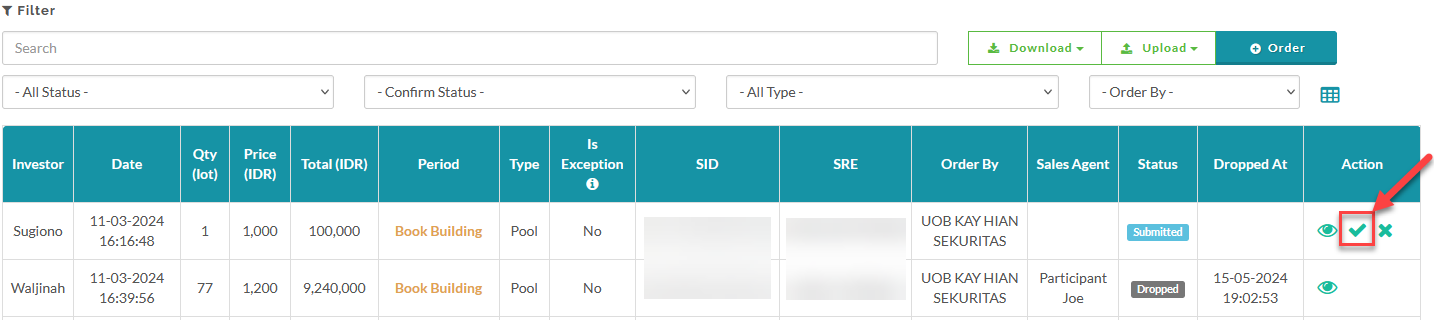
When you approve an order, the system will then validate the investor's SID number. If the SID is valid, the status will be changed from Submitted to Approved. If the SID number is invalid, the status will be changed from Submitted to Not Valid.
 Order approval is a process that can only be performed by Exchange Member Participants. However, for orders submitted by Non-Exchange Member Participants, the approval procedure involves "proposing" the order to their respective parent Exchange Member Participant for review and final approval. To view the order approval flow for Non-Exchange Member Participant click here.
To see how to amend an approved order, click here.
To see how to cancel an approved order, click here.
Created with the Personal Edition of HelpNDoc: Free EPub and documentation generator