Publishing Pipeline From Book Building To Offering
If an IPO has a Book Building stage in its pipeline process, before proceeding to the offering stage, the Admin Lead Underwriter needs to enter the Offering Price, Final Reason, and the offering period start and end dates. They may be entered during the Book Building period (click here to see how), or you can directly publish the Pipeline to Offering and follow the steps in e-IPO.
- Go to Pipeline.
- Select Pipeline > View
 .
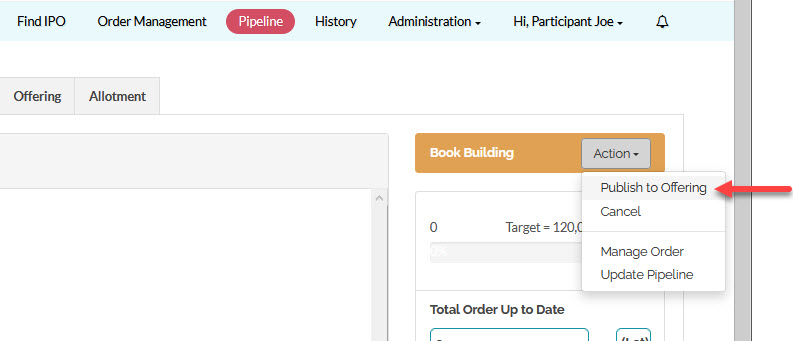
. - Click Action > Publish to Offering
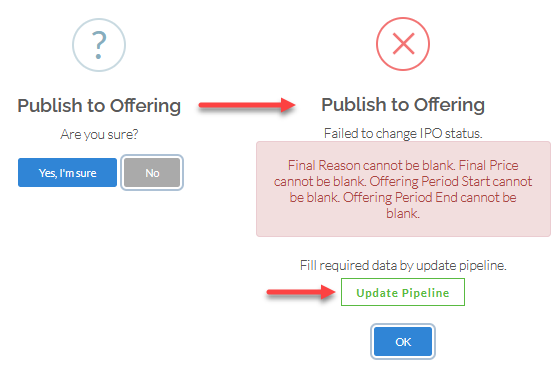
- You will be asked for confirmation, if you have not entered the Offering Price you will be prompted to input the price, click Enter final price here to input the Offering Price.
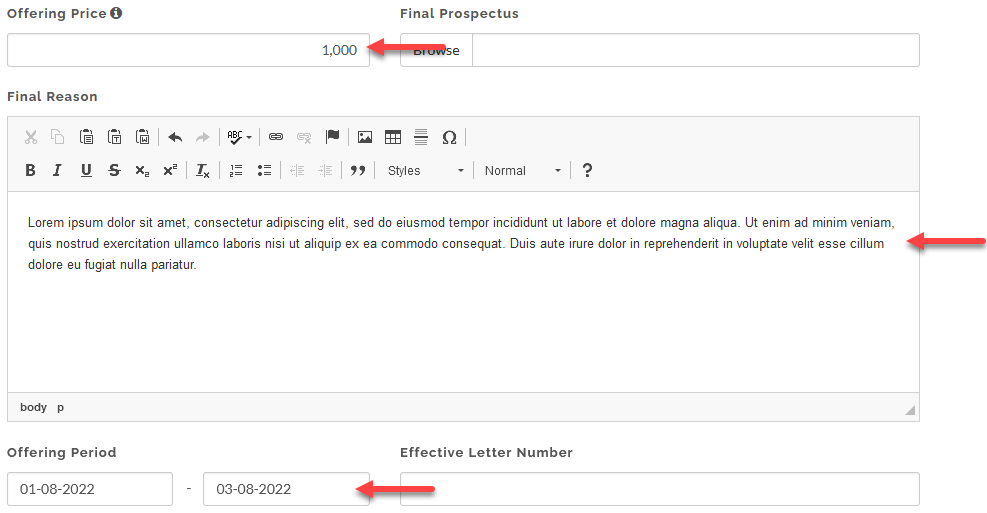
- Input Offering Price, Final reason, and Offering Period.
 For Admin Lead Underwriter: If the pipeline has more than 1 underwriters, you may need to determine and input each Underwriter's Allotment Portion, click here to see how.
Created with the Personal Edition of HelpNDoc: Single source CHM, PDF, DOC and HTML Help creation